Supported File Types to Convert to PDF
Choose the file type you want to convert. All tools are free and work directly in your browser.


- Convert Excel to PDF - Transform XLSX and XLS files into PDFs.
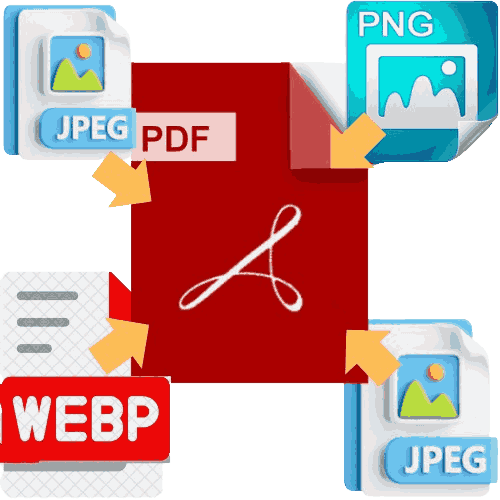
- Convert JPG to PDF - Turn JPEG images into PDF documents.
- Convert PNG to PDF - Create PDFs from PNG images.
- Convert WebP to PDF - Convert WebP images to PDF format.
- Convert HTML to PDF - Save web pages as PDF documents.
- Convert Image to PDF - General tool for all image formats.
Why Convert Files to PDF?
PDF is the world's most reliable document format. Here is why converting your files to PDF is a smart choice:
- Universal Compatibility - PDFs look the same on any device or operating system.
- Preserve Formatting - Your fonts, layouts, and images stay exactly as you intended.
- Security - Add password protection and encryption to sensitive documents.
- File Compression - Reduce large file sizes while maintaining quality.
- Professional Appearance - Create polished, shareable documents for business or personal use.
RoyalPDF Converter Features
Our PDF converter tools are designed with simplicity and power in mind.
- 100% Free - No premium tiers, no hidden costs, no credit card required.
- No Signup - Start converting immediately without creating an account.
- High-Quality Output - Preserve original resolution, fonts, and vector graphics.
- Fast Processing - Files convert in seconds, even for large documents.
- Secure & Private - All uploads are encrypted and automatically deleted after 1 hour.
- Works on Any Device - Use it on desktop, tablet, or smartphone.
Common Use Cases for PDF Conversion
- Business Reports - Convert Excel spreadsheets into professional PDF reports for clients and stakeholders.
- E-commerce - Turn product images into catalog PDFs for online stores.
- Education - Convert lecture notes, presentations, and assignments into PDFs for easy sharing.
- Legal Documents - Ensure contracts and agreements are shared in a tamper-proof format.
- Marketing Materials - Create brochures, flyers, and portfolios in a universal format.
- Web Archiving - Save web pages as PDFs for offline reading or record-keeping.
Frequently Asked Questions About Convert to PDF Tools
Yes, all our PDF converter tools are completely free to use. There are no limits on the number of files you can convert, and we never add watermarks to your documents.
No registration is required. Simply upload your file, convert it, and download the PDF instantly.
We take security seriously. All file uploads use SSL encryption, and files are automatically deleted from our servers within 1 hour of conversion.
We support Excel (.xlsx, .xls), JPG, PNG, WebP, HTML, and general image formats. We are constantly adding new formats, so check back often.
You can convert files up to 50MB. This limit covers most documents, spreadsheets, and images.
No. Our conversion tools preserve the original quality of your files, including images, fonts, and formatting.
Related Tools You Might Need
Once you have created your PDF, you can use these tools to manage it further:
- Convert From PDF - All Converters that convert PDF to Desire format.
- Convert PDF to Excel - Extract data from PDFs into spreadsheets.
- Convert PDF to JPG - Turn PDF pages into high-quality images.
- Merge PDF Files - Combine multiple PDFs into a single document.
- Split PDF Tool - Extract specific pages from a PDF.
- Convert PDF to PNG - Create PNG images from PDF pages.